
ESP8266 - Requisição HTTP
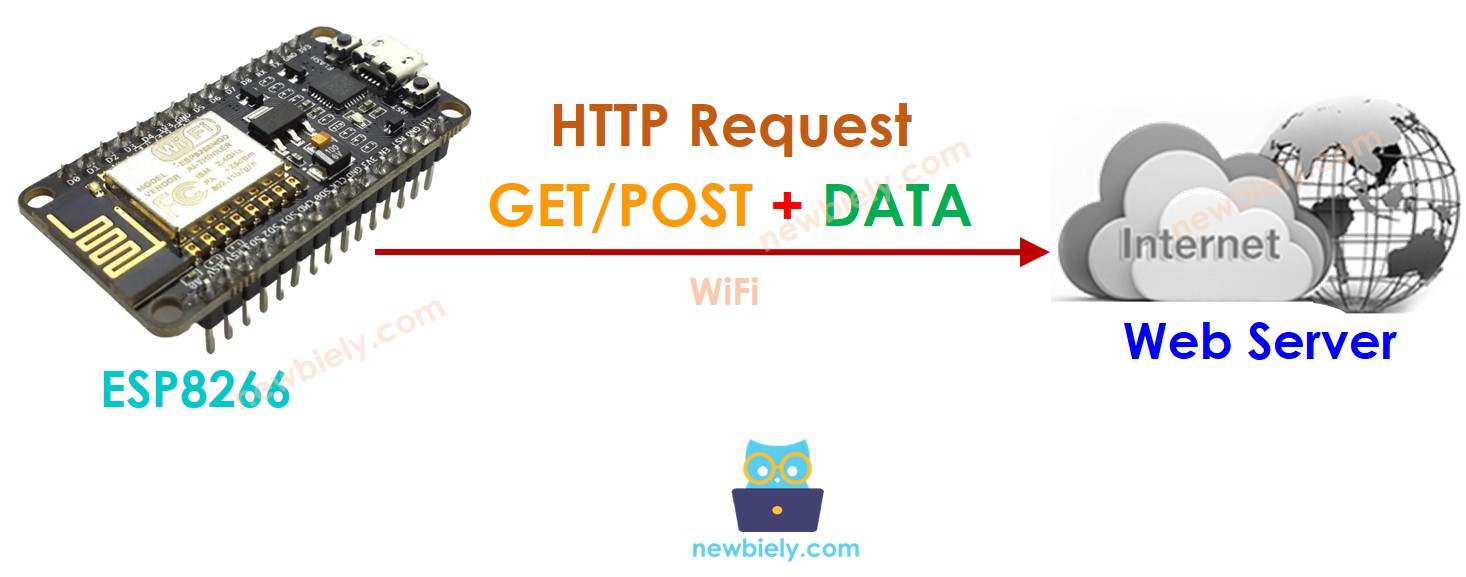
Este tutorial ensina você a usar o ESP8266 para fazer uma requisição HTTP a um servidor web, uma API ou um serviço Web. Em detalhes, você aprenderá:
- Como usar o ESP8266 para fazer uma requisição HTTP (GET e POST)
- Como incluir os dados do sensor na requisição HTTP
Hardware Necessário
Or you can buy the following kits:
| 1 | × | DIYables Sensor Kit (18 sensors/displays) |
Divulgação: Alguns dos links desta seção são links de afiliado da Amazon. Podemos receber uma comissão pelas compras feitas por meio desses links, sem custo adicional para você. Agradecemos o seu apoio.
Conceitos Básicos de Cliente Web e Servidor Web
Existem alguns conceitos básicos da web, como: endereço web (URL), hostname, pathname, query string, Requisição HTTP... Você pode aprender detalhes sobre eles no tutorial de HTTP
Como Fazer uma Requisição HTTP
- Inclua as bibliotecas
#include <WiFi.h>
#include <HTTPClient.h>
- Declare o SSID e a senha do WiFi
const char WIFI_SSID[] = "YOUR_WIFI_SSID"; // CHANGE IT
const char WIFI_PASSWORD[] = "YOUR_WIFI_PASSWORD"; // CHANGE IT
- Declare o hostname, o pathname e a query string
String HOST_NAME = "http://YOUR_DOMAIN.com"; // CHANGE IT
String PATH_NAME = "/products/arduino"; // CHANGE IT
//String PATH_NAME = "/products/arduino.php"; // CHANGE IT
String queryString = "temperature=26&humidity=70"; // OPTIONAL
- Declare um objeto cliente HTTP
HTTPClient http;
- Se estiver conectado ao servidor, envie a requisição HTTP. Por exemplo, HTTP GET
http.begin(HOST_NAME + PATH_NAME); //HTTP
int httpCode = http.GET();
- Leia os dados de resposta do servidor web
// httpCode will be negative on error
if (httpCode > 0) {
// file found at server
if (httpCode == HTTP_CODE_OK) {
String payload = http.getString();
Serial.println(payload);
} else {
// HTTP header has been send and Server response header has been handled
Serial.printf("[HTTP] GET... code: %d\n", httpCode);
}
} else {
Serial.printf("[HTTP] GET... failed, error: %s\n", http.errorToString(httpCode).c_str());
}
http.end();
Como incluir dados na requisição HTTP
Podemos enviar dados ao servidor web incluindo-os na requisição HTTP. O formato dos dados depende do método da requisição HTTP:
- Para a requisição HTTP GET
- Os dados só podem ser enviados na query string do pathname.
- Requisição HTTP POST
- Os dados podem ser enviados NÃO SÓ no formato de query string, MAS TAMBÉM em qualquer outro formato, como Json, XML, imagem ...
- Os dados são colocados no corpo da requisição HTTP.
- Crie uma query string
- HTTP GET: adicione a query string ao pathname
- HTTP POST: coloque a query string no corpo HTTP
- Tanto para GET quanto para POST, leia os dados de resposta do servidor web
Vamos aprender a enviar dados no formato de query string tanto para HTTP GET quanto para POST
int temp = // from sensor
int humi = // from sensor
String queryString = String("temperature=") + String(temp) + String("&humidity=") + String(humi);
http.begin(HOST_NAME + PATH_NAME + "?" + queryString);
http.addHeader("Content-Type", "application/x-www-form-urlencoded");
int httpCode = http.GET();
http.begin(HOST_NAME + PATH_NAME);
http.addHeader("Content-Type", "application/x-www-form-urlencoded");
int httpCode = http.POST(queryString);
// httpCode will be negative on error
if (httpCode > 0) {
// file found at server
if (httpCode == HTTP_CODE_OK) {
String payload = http.getString();
Serial.println(payload);
} else {
// HTTP header has been send and Server response header has been handled
Serial.printf("[HTTP] GET/POST... code: %d\n", httpCode);
}
} else {
Serial.printf("[HTTP] GET/POST... failed, error: %s\n", http.errorToString(httpCode).c_str());
}
http.end();
Código ESP8266 Completo para Fazer Requisição HTTP
Abaixo está o código ESP8266 completo para fazer requisições HTTP GET/POST
/*
* Este código de ESP8266 NodeMCU foi desenvolvido por pt.newbiely.com
* Este código de ESP8266 NodeMCU é disponibilizado ao público sem nenhuma restrição.
* Para tutoriais completos e diagramas de ligação, visite:
* https://pt.newbiely.com/tutorials/esp8266/esp8266-http-request
*/
#include <ESP8266WiFi.h>
#include <ESP8266HTTPClient.h>
const char WIFI_SSID[] = "YOUR_WIFI_SSID"; // CHANGE IT
const char WIFI_PASSWORD[] = "YOUR_WIFI_PASSWORD"; // CHANGE IT
String HOST_NAME = "http://YOUR_DOMAIN.com"; // CHANGE IT
String PATH_NAME = "/products/arduino.php"; // CHANGE IT
WiFiClient client; // Create a WiFiClient object
HTTPClient http;
void setup() {
Serial.begin(9600);
WiFi.begin(WIFI_SSID, WIFI_PASSWORD);
Serial.println("Connecting");
while (WiFi.status() != WL_CONNECTED) {
delay(500);
Serial.print(".");
}
Serial.println("");
Serial.print("Connected to WiFi network with IP Address: ");
Serial.println(WiFi.localIP());
http.begin(client, HOST_NAME + PATH_NAME); //HTTP
int httpCode = http.GET();
// httpCode will be negative on error
if (httpCode > 0) {
// file found at server
if (httpCode == HTTP_CODE_OK) {
String payload = http.getString();
Serial.println(payload);
} else {
// HTTP header has been sent and Server response header has been handled
Serial.printf("[HTTP] GET... code: %d\n", httpCode);
}
} else {
Serial.printf("[HTTP] GET... failed, error: %s\n", http.errorToString(httpCode).c_str());
}
http.end();
}
void loop() {
// Your loop code here (if needed)
}
Código ESP8266 Completo para Fazer Requisição HTTP GET com dados
/*
* Este código de ESP8266 NodeMCU foi desenvolvido por pt.newbiely.com
* Este código de ESP8266 NodeMCU é disponibilizado ao público sem nenhuma restrição.
* Para tutoriais completos e diagramas de ligação, visite:
* https://pt.newbiely.com/tutorials/esp8266/esp8266-http-request
*/
#include <ESP8266WiFi.h>
#include <ESP8266HTTPClient.h>
const char WIFI_SSID[] = "YOUR_WIFI_SSID"; // CHANGE IT
const char WIFI_PASSWORD[] = "YOUR_WIFI_PASSWORD"; // CHANGE IT
String HOST_NAME = "http://YOUR_DOMAIN.com"; // CHANGE IT
String PATH_NAME = "/products/arduino"; // CHANGE IT
//String PATH_NAME = "/products/arduino.php"; // CHANGE IT
String queryString = "temperature=26&humidity=70";
void setup() {
Serial.begin(9600);
WiFi.begin(WIFI_SSID, WIFI_PASSWORD);
Serial.println("Connecting");
while (WiFi.status() != WL_CONNECTED) {
delay(500);
Serial.print(".");
}
Serial.println("");
Serial.print("Connected to WiFi network with IP Address: ");
Serial.println(WiFi.localIP());
WiFiClient client; // Create a WiFiClient object
HTTPClient http;
http.begin(client, HOST_NAME + PATH_NAME + "?" + queryString);
http.addHeader("Content-Type", "application/x-www-form-urlencoded");
int httpCode = http.GET();
// httpCode will be negative on error
if (httpCode > 0) {
// file found at the server
if (httpCode == HTTP_CODE_OK) {
String payload = http.getString();
Serial.println(payload);
} else {
// HTTP header has been sent, and Server response header has been handled
Serial.printf("[HTTP] GET... code: %d\n", httpCode);
}
} else {
Serial.printf("[HTTP] GET... failed, error: %s\n", http.errorToString(httpCode).c_str());
}
http.end();
}
void loop() {
// Your loop code here (if needed)
}
Código ESP8266 Completo para Fazer Requisição HTTP POST com dados
/*
* Este código de ESP8266 NodeMCU foi desenvolvido por pt.newbiely.com
* Este código de ESP8266 NodeMCU é disponibilizado ao público sem nenhuma restrição.
* Para tutoriais completos e diagramas de ligação, visite:
* https://pt.newbiely.com/tutorials/esp8266/esp8266-http-request
*/
#include <ESP8266WiFi.h>
#include <ESP8266HTTPClient.h>
const char WIFI_SSID[] = "YOUR_WIFI_SSID"; // CHANGE IT
const char WIFI_PASSWORD[] = "YOUR_WIFI_PASSWORD"; // CHANGE IT
String HOST_NAME = "http://YOUR_DOMAIN.com"; // CHANGE IT
String PATH_NAME = "/products/arduino"; // CHANGE IT
//String PATH_NAME = "/products/arduino.php"; // CHANGE IT
String queryString = "temperature=26&humidity=70";
void setup() {
Serial.begin(9600);
WiFi.begin(WIFI_SSID, WIFI_PASSWORD);
Serial.println("Connecting");
while (WiFi.status() != WL_CONNECTED) {
delay(500);
Serial.print(".");
}
Serial.println("");
Serial.print("Connected to WiFi network with IP Address: ");
Serial.println(WiFi.localIP());
WiFiClient client; // Create a WiFiClient object
HTTPClient http;
http.begin(client, HOST_NAME + PATH_NAME);
http.addHeader("Content-Type", "application/x-www-form-urlencoded");
int httpCode = http.POST(queryString);
// httpCode will be negative on error
if (httpCode > 0) {
// file found at server
if (httpCode == HTTP_CODE_OK) {
String payload = http.getString();
Serial.println(payload);
} else {
// HTTP header has been sent and Server response header has been handled
Serial.printf("[HTTP] POST... code: %d\n", httpCode);
}
} else {
Serial.printf("[HTTP] POST... failed, error: %s\n", http.errorToString(httpCode).c_str());
}
http.end();
}
void loop() {
// Your loop code here (if needed)
}