
Arduino Nano ESP32 - Requisição HTTP
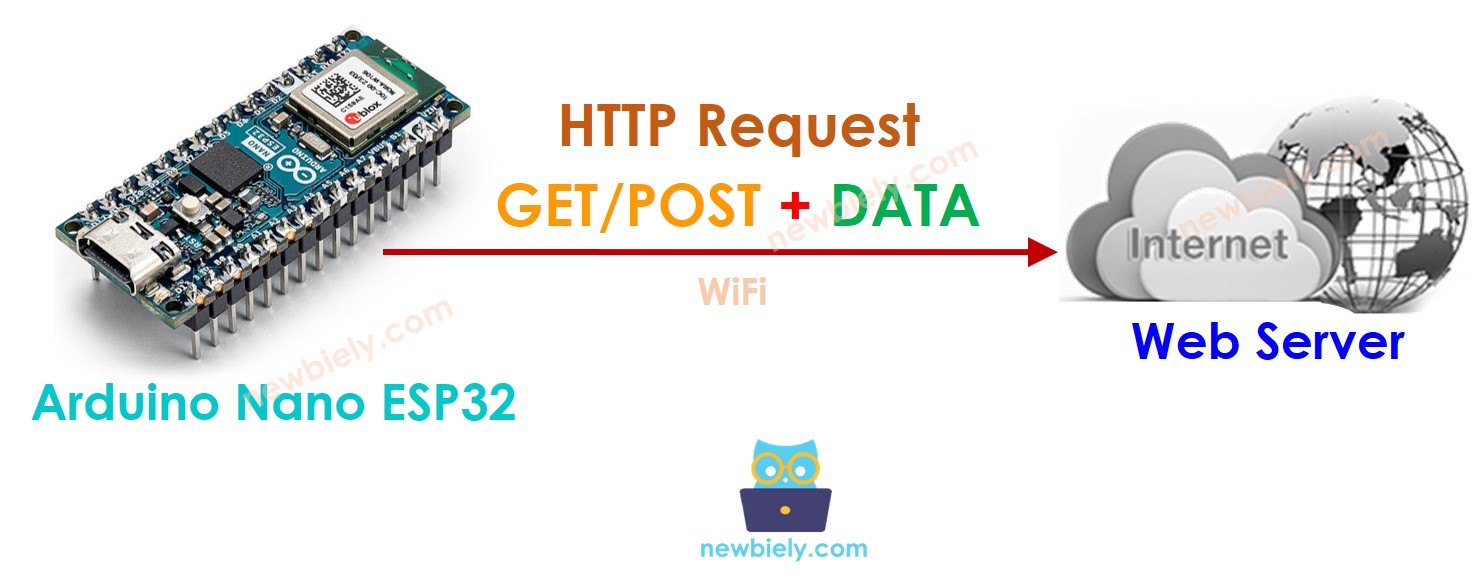
Este tutorial fornece instruções sobre como usar o Arduino Nano ESP32 para fazer requisições HTTP a um servidor web, API ou serviço Web. Em detalhes, você vai aprender:
- Como usar o Arduino Nano ESP32 para fazer requisições HTTP (GET e POST)
- Como incluir os dados do sensor na requisição HTTP
Hardware Necessário
Or you can buy the following kits:
| 1 | × | DIYables Sensor Kit (18 sensors/displays) |
Divulgação: Alguns dos links desta seção são links de afiliado da Amazon. Podemos receber uma comissão pelas compras feitas por meio desses links, sem custo adicional para você. Agradecemos o seu apoio.
Conceitos Básicos de Cliente Web e Servidor Web
Existem alguns conceitos básicos da web, como: endereço web (URL), hostname, pathname, query string, requisição HTTP... Você pode aprender detalhes sobre eles no tutorial de HTTP
Como Fazer uma Requisição HTTP
- Inclua as bibliotecas
#include <WiFi.h>
#include <HTTPClient.h>
- Declare o SSID e a senha do WiFi
const char WIFI_SSID[] = "YOUR_WIFI_SSID"; // CHANGE IT
const char WIFI_PASSWORD[] = "YOUR_WIFI_PASSWORD"; // CHANGE IT
- Declare o hostname, o pathname e a query string
String HOST_NAME = "http://YOUR_DOMAIN.com"; // CHANGE IT
String PATH_NAME = "/products/arduino"; // CHANGE IT
//String PATH_NAME = "/products/arduino.php"; // CHANGE IT
String queryString = "temperature=26&humidity=70"; // OPTIONAL
- Declare um objeto cliente HTTP
HTTPClient http;
- Se estiver conectado ao servidor, envie a requisição HTTP. Por exemplo, HTTP GET
http.begin(HOST_NAME + PATH_NAME); //HTTP
int httpCode = http.GET();
- Leia os dados da resposta do servidor web
// httpCode will be negative on error
if (httpCode > 0) {
// file found at server
if (httpCode == HTTP_CODE_OK) {
String payload = http.getString();
Serial.println(payload);
} else {
// HTTP header has been send and Server response header has been handled
Serial.printf("[HTTP] GET... code: %d\n", httpCode);
}
} else {
Serial.printf("[HTTP] GET... failed, error: %s\n", http.errorToString(httpCode).c_str());
}
http.end();
Como incluir dados na requisição HTTP
Podemos enviar dados ao servidor web incluindo-os na requisição HTTP. O formato dos dados depende do método da requisição HTTP:
- Para a requisição HTTP GET
- Os dados só podem ser enviados na query string do pathname.
- Requisição HTTP POST
- Os dados podem ser enviados NÃO APENAS no formato query string, MAS TAMBÉM em qualquer outro formato, como Json, XML, imagem ...
- Os dados são colocados no corpo da requisição HTTP.
- Crie uma query string
- HTTP GET: adicione a query string ao pathname
- HTTP POST: coloque a query string no corpo HTTP
- Tanto para GET quanto para POST, leia os dados da resposta do servidor web
Vamos aprender como enviar dados no formato query string tanto para HTTP GET quanto para POST
int temp = // from sensor
int humi = // from sensor
String queryString = String("temperature=") + String(temp) + String("&humidity=") + String(humi);
http.begin(HOST_NAME + PATH_NAME + "?" + queryString);
http.addHeader("Content-Type", "application/x-www-form-urlencoded");
int httpCode = http.GET();
http.begin(HOST_NAME + PATH_NAME);
http.addHeader("Content-Type", "application/x-www-form-urlencoded");
int httpCode = http.POST(queryString);
// httpCode will be negative on error
if (httpCode > 0) {
// file found at server
if (httpCode == HTTP_CODE_OK) {
String payload = http.getString();
Serial.println(payload);
} else {
// HTTP header has been send and Server response header has been handled
Serial.printf("[HTTP] GET/POST... code: %d\n", httpCode);
}
} else {
Serial.printf("[HTTP] GET/POST... failed, error: %s\n", http.errorToString(httpCode).c_str());
}
http.end();
Código Completo do Arduino Nano ESP32 para Fazer Requisição HTTP
Abaixo está o código completo do Arduino Nano ESP32 para fazer requisições HTTP GET/POST
/*
* Este código de Arduino Nano ESP32 foi desenvolvido por pt.newbiely.com
* Este código de Arduino Nano ESP32 é disponibilizado ao público sem nenhuma restrição.
* Para tutoriais completos e diagramas de ligação, visite:
* https://pt.newbiely.com/tutorials/arduino-nano-esp32/arduino-nano-esp32-http-request
*/
#include <WiFi.h>
#include <HTTPClient.h>
const char WIFI_SSID[] = "YOUR_WIFI_SSID"; // CHANGE IT // CHANGE IT
const char WIFI_PASSWORD[] = "YOUR_WIFI_PASSWORD"; // CHANGE IT
String HOST_NAME = "http://YOUR_DOMAIN.com"; // CHANGE IT
String HOST_NAME = "http://YOUR_DOMAIN.com"; // CHANGE IT
//String PATH_NAME = "/products/arduino.php"; // CHANGE IT
void setup() {
Serial.begin(9600);
WiFi.begin(WIFI_SSID, WIFI_PASSWORD);
Serial.println("Connecting");
while(WiFi.status() != WL_CONNECTED) {
delay(500);
Serial.print(".");
}
Serial.println("");
Serial.print("Connected to WiFi network with IP Address: ");
Serial.println(WiFi.localIP());
HTTPClient http;
http.begin(HOST_NAME + PATH_NAME); //HTTP
int httpCode = http.GET();
// httpCode will be negative on error
if(httpCode > 0) {
// file found at server
if(httpCode == HTTP_CODE_OK) {
String payload = http.getString();
Serial.println(payload);
} else {
// HTTP header has been send and Server response header has been handled
Serial.printf("[HTTP] GET... code: %d\n", httpCode);
}
} else {
Serial.printf("[HTTP] GET... failed, error: %s\n", http.errorToString(httpCode).c_str());
}
http.end();
}
void loop() {
}
Código Completo do Arduino Nano ESP32 para Fazer Requisição HTTP GET com dados
/*
* Este código de Arduino Nano ESP32 foi desenvolvido por pt.newbiely.com
* Este código de Arduino Nano ESP32 é disponibilizado ao público sem nenhuma restrição.
* Para tutoriais completos e diagramas de ligação, visite:
* https://pt.newbiely.com/tutorials/arduino-nano-esp32/arduino-nano-esp32-http-request
*/
#include <WiFi.h>
#include <HTTPClient.h>
const char WIFI_SSID[] = "YOUR_WIFI_SSID"; // CHANGE IT
const char WIFI_PASSWORD[] = "YOUR_WIFI_PASSWORD"; // CHANGE IT
String HOST_NAME = "http://YOUR_DOMAIN.com"; // CHANGE IT
String PATH_NAME = "/products/arduino"; // CHANGE IT
//String PATH_NAME = "/products/arduino.php"; // CHANGE IT
String queryString = "temperature=26&humidity=70";
void setup() {
Serial.begin(9600);
WiFi.begin(WIFI_SSID, WIFI_PASSWORD);
Serial.println("Connecting");
while (WiFi.status() != WL_CONNECTED) {
delay(500);
Serial.print(".");
}
Serial.println("");
Serial.print("Connected to WiFi network with IP Address: ");
Serial.println(WiFi.localIP());
HTTPClient http;
http.begin(HOST_NAME + PATH_NAME + "?" + queryString);
http.addHeader("Content-Type", "application/x-www-form-urlencoded");
int httpCode = http.GET();
// httpCode will be negative on error
if (httpCode > 0) {
// file found at server
if (httpCode == HTTP_CODE_OK) {
String payload = http.getString();
Serial.println(payload);
} else {
// HTTP header has been send and Server response header has been handled
Serial.printf("[HTTP] GET... code: %d\n", httpCode);
}
} else {
Serial.printf("[HTTP] GET... failed, error: %s\n", http.errorToString(httpCode).c_str());
}
http.end();
}
void loop() {
}
Código Completo do Arduino Nano ESP32 para Fazer Requisição HTTP POST com dados
/*
* Este código de Arduino Nano ESP32 foi desenvolvido por pt.newbiely.com
* Este código de Arduino Nano ESP32 é disponibilizado ao público sem nenhuma restrição.
* Para tutoriais completos e diagramas de ligação, visite:
* https://pt.newbiely.com/tutorials/arduino-nano-esp32/arduino-nano-esp32-http-request
*/
#include <WiFi.h>
#include <HTTPClient.h>
const char WIFI_SSID[] = "YOUR_WIFI_SSID"; // CHANGE IT
const char WIFI_PASSWORD[] = "YOUR_WIFI_PASSWORD"; // CHANGE IT
String HOST_NAME = "http://YOUR_DOMAIN.com"; // CHANGE IT
String PATH_NAME = "/products/arduino"; // CHANGE IT
//String PATH_NAME = "/products/arduino.php"; // CHANGE IT
String queryString = "temperature=26&humidity=70";
void setup() {
Serial.begin(9600);
WiFi.begin(WIFI_SSID, WIFI_PASSWORD);
Serial.println("Connecting");
while (WiFi.status() != WL_CONNECTED) {
delay(500);
Serial.print(".");
}
Serial.println("");
Serial.print("Connected to WiFi network with IP Address: ");
Serial.println(WiFi.localIP());
HTTPClient http;
http.begin(HOST_NAME + PATH_NAME);
http.addHeader("Content-Type", "application/x-www-form-urlencoded");
int httpCode = http.POST(queryString);
// httpCode will be negative on error
if (httpCode > 0) {
// file found at server
if (httpCode == HTTP_CODE_OK) {
String payload = http.getString();
Serial.println(payload);
} else {
// HTTP header has been send and Server response header has been handled
Serial.printf("[HTTP] POST... code: %d\n", httpCode);
}
} else {
Serial.printf("[HTTP] POST... failed, error: %s\n", http.errorToString(httpCode).c_str());
}
http.end();
}
void loop() {
}